
Have you ever visited a blog with a stunning appearance and interesting content? The blog is so good, you will be inspired to build a blog too.
Unfortunately, doubts arise because you have never created a website or blog. So that the desire to have a blog feels so difficult.
Well, actually there is a simple way to build a blog. In fact, you can do it without understanding coding at all! You just need to use WordPress.
There are many benefits that WordPress offers, including to blog owners. Starting from easy installation, various speed and security features, to an attractive theme design. Not surprisingly, WordPress is often named as one of the best blogging platforms.
Until now, WordPress is still the most dominant blogging platform. More than 38% of websites on the internet use WordPress.
Not surprisingly, there are 409 million people who visit WordPress-based websites every month. The number of new posts on WordPress also reaches more than 70 million posts every month.
WordPress itself is divided into two types, namely WordPress.com and WordPress.org. Even though they look the same at first glance, they are actually quite different. Let’s see the difference between the two in the next section!
WordPress.com and WordPress.org: Which Is Better for Blogging?
With WordPress.org, you can download WordPress and install it on the hosting service you use. However, some hosting providers –like Niagahoster– allow you to install WordPress in one click.
On the other hand, WordPress.com provides a blogging platform that you can use right away without having to download or install anything. You can also use it for free.
However, to build the blog you want, it is recommended that you use WordPress.org, not WordPress.com. Why is that? Here’s why:
1. Freedom to Customize Blog
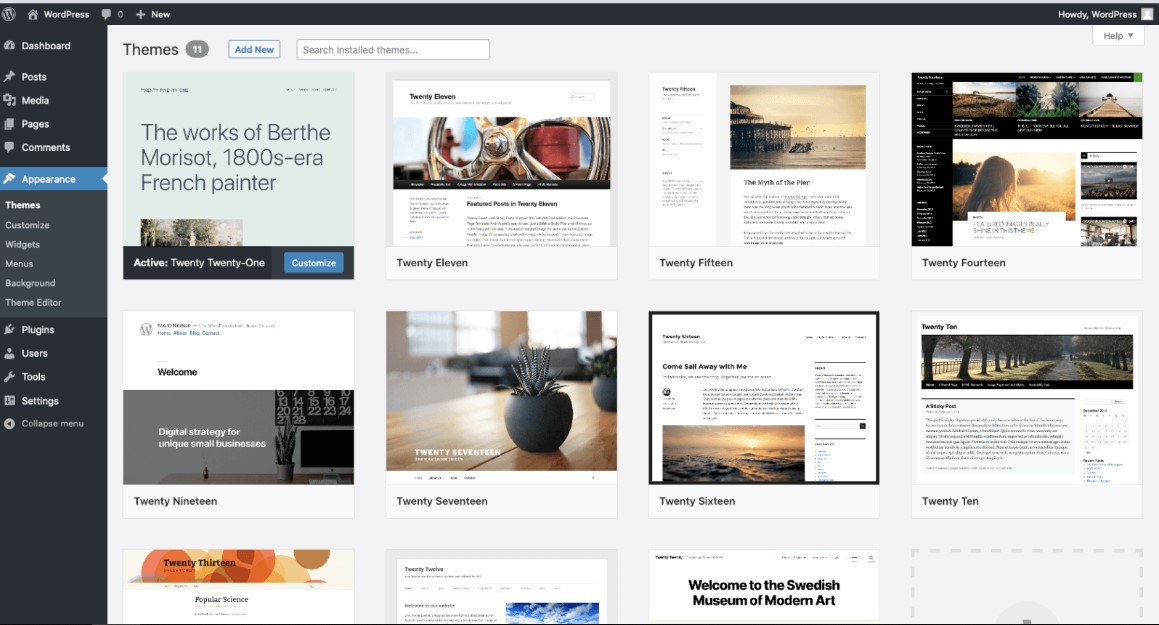
With WordPress.org, you can edit your blog however you want. For example, if you find an interesting blog theme, you can easily download and install it on your blog.
WordPress.org also frees you to install any plugins. So, your blog will appear more optimal.
For faster blog performance, all you have to do is install a plugin like WP Rocket. To increase blog security, all you have to do is install the security plugin.
In essence, you can easily install themes and plugins on WordPress.org. Unfortunately, you cannot do this on WordPress.com.
With WordPress.com, you can’t install themes freely. You can only use themes that are reserved specifically for WordPress.com users.
It’s the same with plugins. You can only use the default plugins provided by WordPress.com, such as Akismet or Stats.
This is why WordPress.org is the right choice if you want more freedom in growing your blog.
2. More Affordable Costs in the Long Term
At first glance, WordPress.com looks like a more affordable option. This is because the WordPress.com platform can be used for free.
However, as your blog develops, you will definitely need various adjustments to make your blog look attractive. Unfortunately, there are a lot of fees that need to be spent on WordPress.com to do this.
For example, to enjoy custom design features, you must first subscribe to the Premium ($8 per month), Business ($25 per month), or eCommerce ($45 per month) packages. With WordPress.org, you can enjoy custom design features for free.
You also have to spend more to use the plugin. Because, you can only install other plugins –beyond the default plugins– if you have registered with the Business and eCommerce packages.
If you use WordPress.org, you only need to pay for the hosting and domain. The rest, you don’t have to worry about limitations on uploading themes and plugins. Chances are you just incur additional costs if you want to buy premium themes or plugins.
3. Ease of Monetization
When your blog has grown, surely you want to use it as a source of income, right? This is why monetization is one of the reasons people start a blog.
Well, with WordPress.org, you are free to advertise on your blog. For example, you can place ads on your blog through Google AdSense.
Instead, there is only one way to advertise on WordPress.com, and that is through WordAds. With this platform, the income you get from ads will be shared with WordPress.
WordAds also sets criteria for blogs that want to advertise. For example, the blog must at least get thousands of visitors every month.
In addition, the blog is also required to use its own domain, may not use a free domain like “.wordpress.com”. So, to have your own domain on WordPress.com, you must at least subscribe to a premium package.
Of course, limitations like these can affect your ability to make money from blogging.
Why is WordPress.org Suitable for Blogging?
Ok, now you know why WordPress.org is a better blogging platform than WordPress.com. But what exactly makes it suitable for blogging? Here’s why!
1. Fast Blog Performance
With WordPress, you can have a blog that performs fast. Visitors do not have to wait long to open your blog. Because the longer they wait, the more likely they are to click the exit button.
Of course you don’t want this to happen, do you?
There are several things that can hinder the speed of loading a blog. Examples include the size of the content that is too large or the use of too many widgets. Fortunately, these problems can be solved in WordPress.
One of the solutions to increase blog speed on WordPress is to install a plugin. Some examples of plugins that are often used are WP Rocket and WP Fastest Cache.
Apart from that, there are several other techniques that you can use to speed up blog loading, such as reducing the admin-ajax.php server load or minimizing the time to first byte (TTFB).
In other words, WordPress provides many ways if you want to have a fast blog performance!
2. Extra Security for Blogs
Hack attack is every blogger’s nightmare. Because, hackers can do things that are not desirable. Starting from making the blog look messy, to stealing sensitive information on their blog.
Usually blog security holes come from themes and plugins that are not updated or due to external attacks, such as brute force attacks or malware infections.
To strengthen website security on WordPress, there are many ways you can do it. One of the most common and easiest to use is to use a plugin.
One of the best examples of security plugins you can use is WordFence. This plugin has several interesting features, such as a malware scanner to detect malware that enters your blog, a real-time firewall for 24-hour security, and limiting the number of logins to prevent hackers who want to penetrate your blog.
Apart from using plugins, there are other ways you can strengthen its security, such as changing the login URL or removing spam comments.
3. Suitable for Mobile Users
Do you know? The number of visitors from mobile devices has exceeded the number of visitors from desktop since 2016! And predictably, the number has increased even further in 2020.
That means, as a blog owner, you have to make your blog as comfortable as possible for visitors from mobile devices. Because they most likely came from there.
Fortunately, since version 3.8, WordPress has begun to adjust its system to make it easier for blog owners who want to manage their blogs via mobile devices. So it’s easier for blog owners to create mobile-friendly content.
But of course relying on the WordPress system alone is not enough. You need to make your blog more suitable for mobile users. How to? Again plugins are the solution.
One of the plugins that you can use is AMP for WP. This plugin can automatically activate Accelerated Mobile Pages (AMP) which functions to make your blog even faster for mobile device users.
Another plugin that you can use is Any Mobile Theme Switcher. With this plugin, you can activate two different themes. One theme is for desktop and the other theme is specifically for mobile users.
To check whether your blog is friendly enough for mobile users, you can use the Google Mobile Friendly Test Tool.
4. Easy to Manage and Publish Content
One of the reasons why WordPress is popular among bloggers is because the platform is friendly for content creators. It’s easy to create, manage, and publish content on WordPress.
You can easily create posts or create pages from the dashboard.
They also have a mobile application to make it easier for blog owners when creating content via mobile devices.
In addition, since version 5.0, WordPress has used Gutenberg as its default editor. So, you can add content to posts more easily. Starting from writing and pictures, to YouTube videos.
If you use a page builder like Elementor or Divi, you can only use the block types provided by that page builder. However, Gutenberg allows you to use content blocks from various developers.
After finishing creating content, you can immediately publish the post by clicking the Publish button, or save it as a draft by clicking the Save draft button.
5. SEO friendly
In order for your blog to be crowded to visit, you must take advantage of SEO (Search Engine Optimization). In essence, SEO can help your blog achieve high rankings in Google search results.
System-wise, WordPress is SEO friendly. For example, blog owners can make menu settings and permalinks so that their blog can be found more easily by search engines.
Apart from that, you can also do SEO optimization easily through plugins. For example, the Yoast SEO plugin can help you create more SEO-friendly content.
Apart from Yoast, there are other plugins that you can try, such as All In One SEO Pack or WP Super Cache.
You can also try various other methods to make your blog more SEO friendly. For example by creating an XML sitemap or building backlinks.
Want to create a blog without the hassle? Simple WordPress Hosting One of the Solutions!
After reading the article above, you must be intrigued to build your own blog, right? Don’t worry, building a blog on WordPress is very easy!
The method is simple, you only need to use Simple WordPress hosting from a trusted hosting provider.
With this service, you can enjoy the WordPress Auto Install feature. So, your WordPress blog will be automatically installed upon package activation and ready to use.
[hurrytimer id=”247″]
