
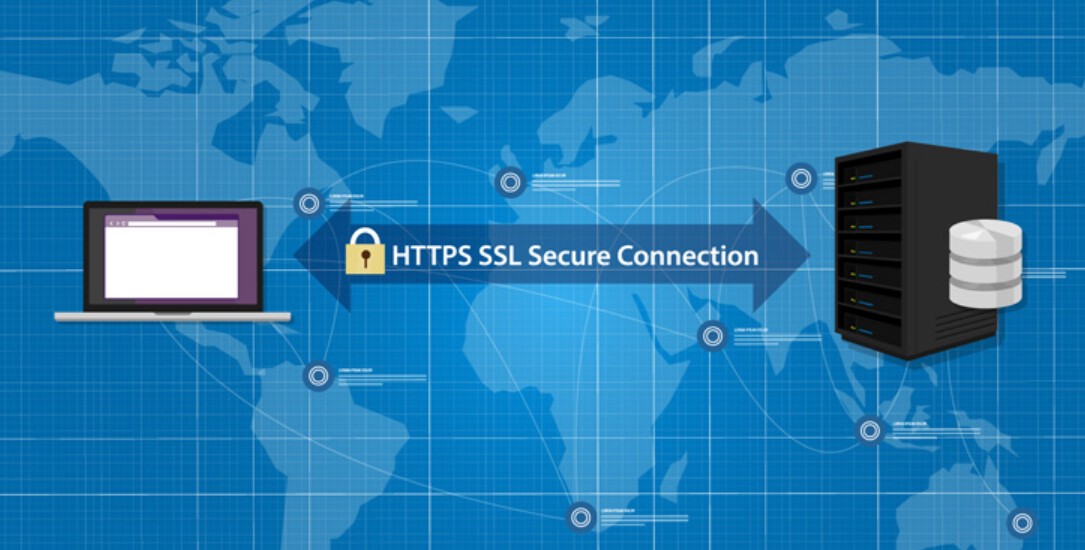
SSL is a method that makes your website more secure. Interestingly, you don’t have to buy your own SSL because there are lots of free SSLs that you can use!
Make no mistake, free SSL has proven effective in securing data exchange on websites. So, visitors will certainly not hesitate to access your website.
Then, how do you get free SSL forever?
Take it easy, this article will explain in full how to get free SSL. But before that, let’s see what are the advantages of using the following free SSL!
Advantages of Using Free SSL
By using SSL, you will get many benefits, including:
1. Data Exchange on a Secure Website
SSL is a protocol for securing data exchange on an internet network that is installed on a website.
The existence of SSL makes every data that is processed through the site encrypted so that it is not easily read by other parties who do not have authority. That way, the privacy and important information of visitors will be maintained.
Not only that, information processed using SSL and HTTPS will be encrypted with two keys, namely the public key and the private key, so that the processed data will be more protected.
All of the above benefits are offered by each type of SSL, including free SSL.
2. Visitor Trust Increases
When your website uses SSL, your URL will change to HTTPS and the padlock display next to the website URL will change color to green. This is believed to increase visitor trust in your website because it gets a safe label from the browser used.
In addition, if your website uses SSL and HTTPS, then visitors can be more confident when making transactions or providing personal data because the exchange of data that will be processed later is encrypted. So, they will feel more secure.
3. Optimal SEO Quality
Search Engine Optimization (SEO) is an attempt to optimize a website in order to get top rankings on search engines.
The better the SEO quality of the website, the higher the chances it will appear on the main search engine page.
One of Google’s algorithms determines that the use of HTTPS URLs on websites is mandatory. This is a consideration for ranking a website because Google wants to ensure that users will only access websites that are ensured to be safe.
4. No Need to Pay Fees
By using free SSL forever, you certainly don’t have to pay for protection like a paid SSL. So, you can save costs and use it for other website management needs.
How to Get Free SSL
There are many SSL certificate provider services that offer free SSL. In the following, we summarize 10+ free SSL services that can be used on your website:
1. Let’s Encrypt
Let’s Encrypt is one of the popular Certificate Authority (CA) provider services developed by the Internet Security Research Group (ISRG). This service provides free SSL certificates to secure websites on the internet network.
This certificate is valid for 3 months and renews automatically (auto renew). This feature allows you not to need to resubmit the certificate if the SSL validity period has expired.
Let’s Encrypt certificates are compatible with various browsers, especially new versions of browsers because there are some older browsers that don’t support this certificate service.
How to get free SSL is very easy. Hosting providers usually include Let’s Encrypt SSL in their services.
For cloud VPS users, you can use this SSL certificate by installing Certbot. Certbot is a third-party application that helps you install Let’s Encrypt.
2. Sectigo
Sectigo is the world’s leading Certificate Authority (CA) company. Actually, Sectigo is an old player in the SSL certificate provider service, which used to be known as Comodo SSL CA.
Sectigo offers a complete product with a high level of security. This makes its users more and more because of the client’s trust in their product.
You can use Sectigo for free, but only for 30 days. Even so, you can still enjoy SSL with the best and safest security guarantees for your website.
To get this free version, you need to contact Sectigo’s customer service directly via the Live Chat feature available on the official Sectigo website.
3. Free SSL cPanel
If your hosting uses cPanel as system management, there is usually a free SSL service offered. So, you don’t need to buy SSL yourself.
To get it, you can access the SSL/TLS Status feature on the cPanel dashboard and run AutoSSL. By default, cPanel uses SSL from Sectigo for the AutoSSL feature on its panels.
However, there are also cPanels that use other free SSL provider services such as Let’s Encrypt.
4. Free SSL Web Hosting Provider Service
Not infrequently, hosting services already provide SSL for the hosting package that you use. So, this is the easiest way to get free SSL.
5. Free Cloudflare SSL
Actually, Cloudflare is not a company specifically providing SSL certificates, but a Content Delivery Network (CDN) provider. But, Cloudflare also has a free and powerful SSL product that you can use on your website.
To enjoy free SSL services from Cloudflare, you need to register and enter your domain name at Cloudflare.
After that, change the domain nameservers using the nameservers provided by Cloudflare. Don’t forget, do a redirect from the HTTP to HTTPS version and replace the URL that still points to the old address.
Now, if all processes have been carried out, you can enjoy free SSL services from Cloudflare.
6. Get HTTPS for Free
Get HTTPS for Free is an alternative free SSL provider service from Let’s Encrypt. This service is intended for those of you who are used to generating Certificate Signing Requests (CSR).
In short, Get HTTPS for free is a free SSL that requires manual activation of the certificate with predetermined steps.
Apart from that, the Get HTTPS for Free interface is less interesting than the others. So, in general, not suitable for beginners. That is why now Get HTTPS for Free is starting to be abandoned.
7. SSL For Free
SSL for Free uses CA from Let’s Encrypt. Not surprisingly, this free SSL service provides all the best SSL certificate features and can be used free forever.
SSL for Free uses ACME from Let’s Encrypt. Therefore, there is no fee that you need to pay to use this service. You can even use this SSL certificate for the main domain and subdomains.
To use it, you only need to enter the domain name and validate via the DNS record.
So, apart from Get HTTPS for Free, SSL for Free is an alternative choice to use SSL technology from Let’s Encrypt.
8. ZeroSSL
Another alternative SSL provider is ZeroSSL. Over 500,000+ clients have used the service including major companies like Slack, Uber, Lenovo, and Shopify.
ZeroSSL claims that its certificate is better than Let’s Encrypt. The ZeroSSL certificate meets Industry-Standard HTTPS Encryption with one-step validation and also a fast installation process, under 5 minutes.
In addition, ZeroSSL also has a management console, SSL monitoring and ACME integrations which will make it easier for clients to manage SSL certificates.
Interestingly, you can get this ZeroSSL certificate for free with a period of 90 days and can be renewed for free after the expiration date.
To get it, you need to create a new account on the ZeroSSL website and choose the Free plan. Then, enter the domain you want to issue the SSL for, then generate a CSR.
After validating the domain with the email, you can immediately install the free ZeroSSL certificate on your website.
9. Basic SSL
Basic SSL or SSL.com is a CA founded in 2002. This service offers a variety of digital certificates that can be used for business, government and the Internet of Things (IoT).
Basic SSL provides a 90-day trial that you can use for free. Later, you can continue to enjoy the service by purchasing the paid version.
The Basic SSL validation process is quite fast and automatic, in just a few minutes your website is protected with an SSL certificate.
10. GoGetSSL
GoGetSSL is an SSL certificate provider brand that was established in 2018. Even though it is relatively new, GoGetSSL has sold SSL certificates to more than 180+ countries in the world.
This Brand Certificate Authority (CA) offers a free 90-day trial for the certificate.
To use the free version, you can go directly to the official GoGetSSL website and choose the GoGetSSL 90-day Trial SSL product. Enter your domain name and generate CSR.
After that, select the method that you will use for domain validation. There are three methods you can do, namely using email, HTTP hash and DNS CNAME.
The validation process is also fast, only takes 5 minutes. If the domain has been validated, you can immediately install the GoGetSSL certificate on your website.
Apart from the free version, GoGetSSL provides many products, including: domain validated, organization validation, extended validation, wildcard SSL certificates and certificates for multiple domains.
11. QualitySSL
QualitySSL is an SSL provider service developed by BitEngines, an e-business development company in Denmark. At first, QualitySSL was developed only for e-commerce, but now QualitySSL can be used on various websites.
You can use QualitySSL for free for 30 days. To get it, you only need to order Free SSL on the official website.
If you already have a CSR when the order is placed, all you have to do is validate the email that was registered and you can immediately install the SSL certificate.
If you don’t have a CSR yet, you must first generate a CSR with the help of a third-party application that already works with QualitySSL. Then, only then can you issue a free QualitySSL certificate for your website.
12. FreeSSL
FreeSSL provides various SSL certificates with a period of 90 days. Interestingly, you can also use FreeSSL for free, you know. You can get it by creating an account on the FreeSSL website.
Just like other SSL provider services, you only need to enter a domain name, generate a CSR and perform domain validation. Then, wait 1-5 minutes for the certificate to be issued and you can immediately install it on your website with automatic updates.
For the free version, you will only get an SSL certificate without any additional features.
If you want to get additional features such as Wildcards, Multi-Domain Certs, REST API, Technical Support, you can use the paid versions: Basic, Pro and Enterprise.
Come on, Use Free SSL for Your Website!
So, there are several ways to get free SSL from various SSL service providers. Even though it’s free, you can use high-quality SSL with full features. How to install SSL on hosting is also easy, you know.
Of all the free SSL provider services above, the Free Sectigo AutoSSL service from Niagahoster is the most worthy of consideration. Why is that?
Apart from the ease of installation, Sectigo Auto SSL Niagahoster has a fairly good level of security thanks to a strong level of encryption. With this SSL, you can more easily make efforts to improve website SEO.
Interestingly, you can use Niagahoster’s free SSL forever. So, you don’t have to bother updating it regularly because of the Auto Renewal feature every three months.
[hurrytimer id=”247″]
